
You've planned a great session. Then, at 5:40 p.m., the texts start: "Coach, can't make it tonight." The plan is still good. It just no longer fits the players you actually have.
Saideline now closes that gap. With the new squad feature, Saideline works as soccer coaching software that doesn't stop at the session plan: you build your squad, rank your players, and the AI assigns whoever is present to the game forms and organizes the teams inside them. One prompt gives you everything you need to walk onto the pitch.
What's New: Your Squad, Ranked in Minutes
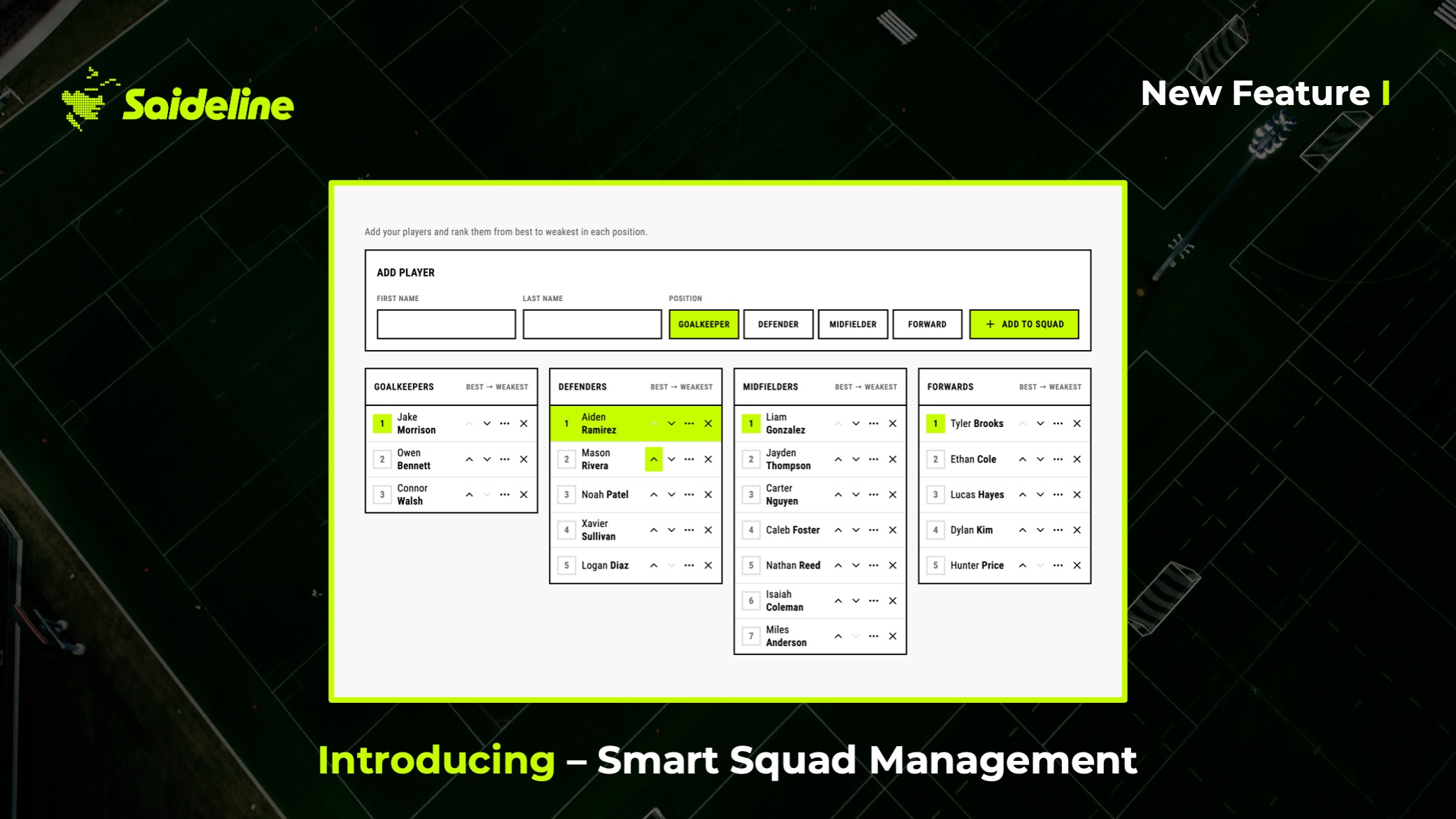
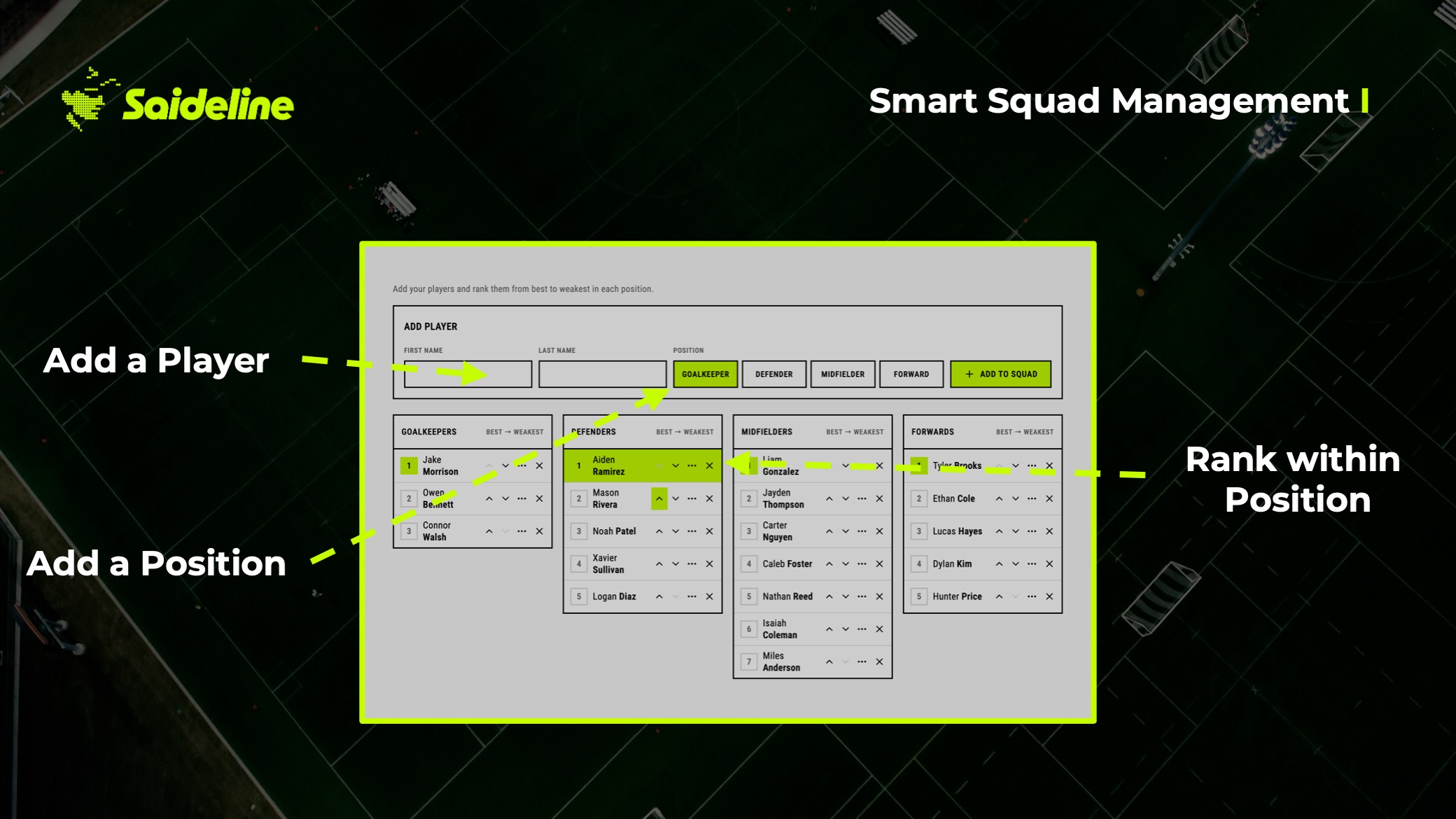
Create your squad and Saideline groups your players by position. Ranking them is a drag and drop: move a player up or down until the order matches your coaching judgment, with your strongest player at the top of each position group.
There's no rating form and no spreadsheet. A ranking here isn't a scoreboard. It's your judgment, written down once, so the software can use it every time you plan a session.
What's New: The AI Puts the Right Players in the Right Game Forms
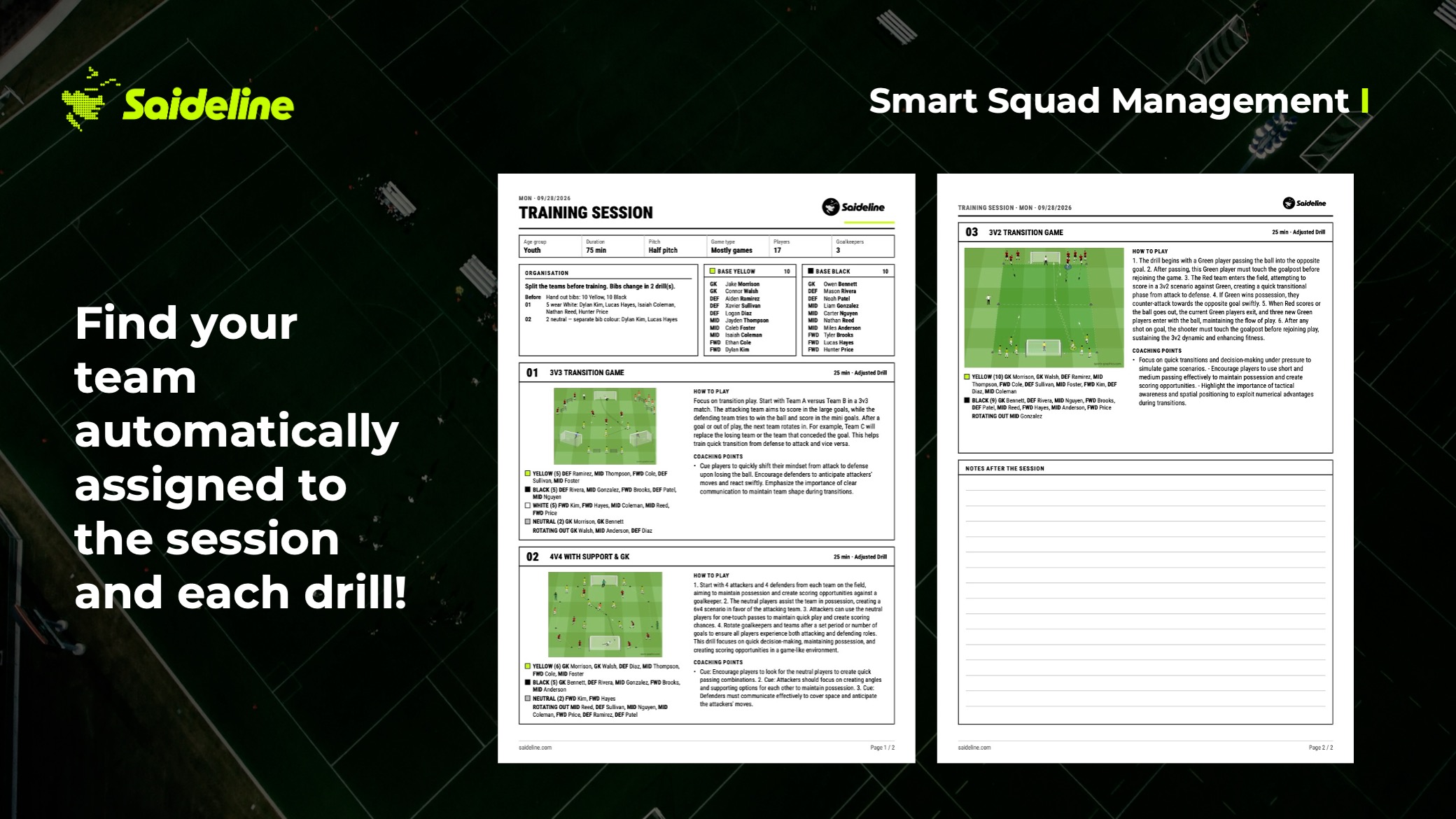
When you prompt Saideline for a session, it now does two jobs. It builds the session the way you're used to, with precisely matched game forms for your phase of play, principle and space. Then it assigns the players who are actually there to those game forms and organizes the teams inside each one.
You steer the team building in plain language. The comment field is where you tell Saideline how you want the teams put together, and it builds them accordingly. You might ask for the two strongest midfielders to play on opposite teams, or for newer players to be mixed in with experienced ones. Write it the way you'd say it to an assistant coach.
One Prompt, Everything You Need on the Pitch
Until now, a session plan and a team list were two separate jobs. The plan told you what to run. The team list, usually scribbled on the back of that plan, told you who plays where. Connecting the two was on you, ten minutes before the whistle.
Now they arrive together: the game forms, the players in each of them, and the teams inside those game forms. You open the session and you're ready to coach. When you're ready to head out, the redesigned PDF export puts all of it on two pages.
When Players Cancel, You Change One Thing
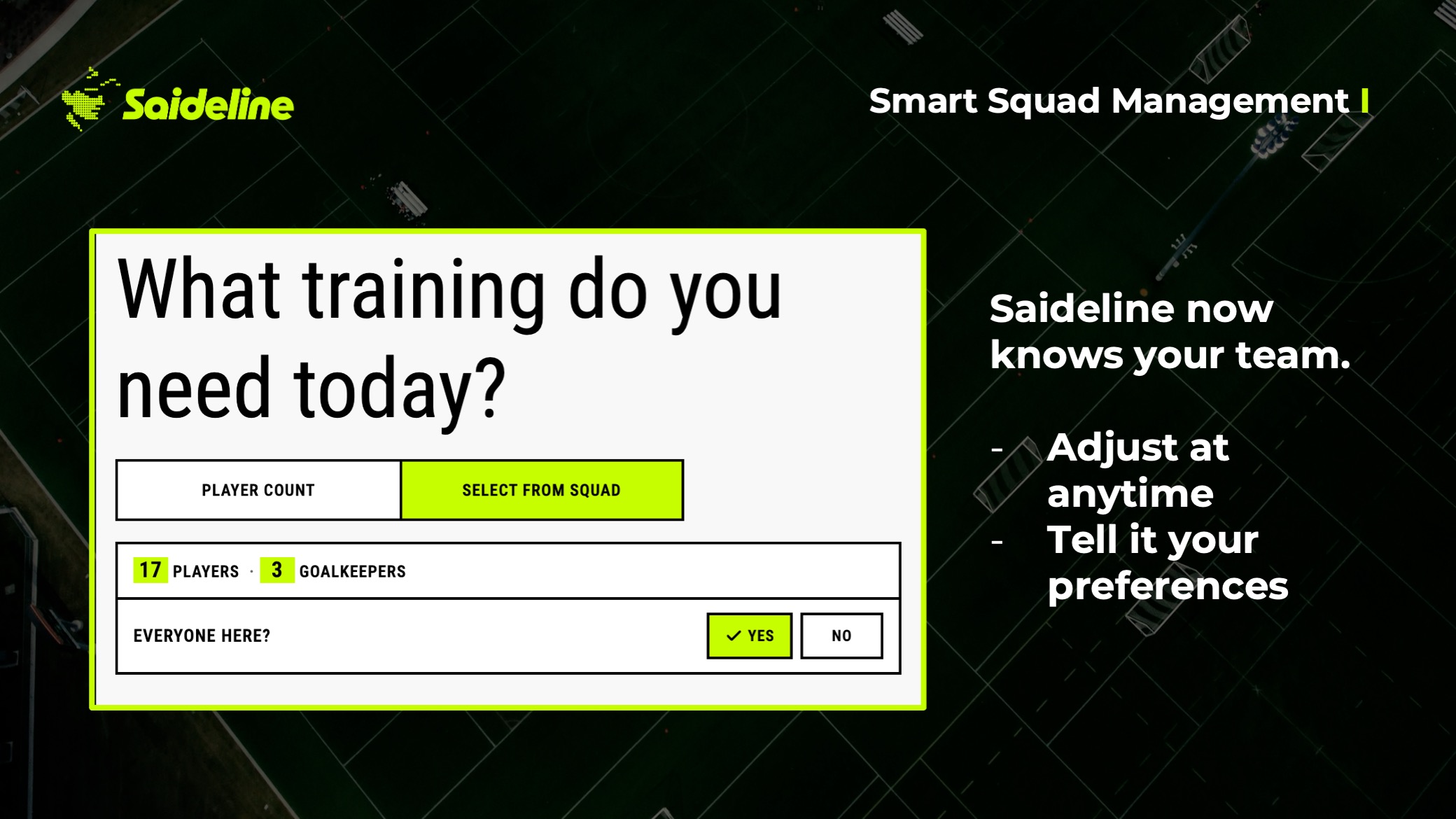
This is the part coaches tell us matters most. When someone drops out, you open your squad and set that player to absent. Saideline builds new teams around the players who are left. There's no re-planning and no redrawing.
If the new headcount doesn't divide evenly, parallel groups already handle uneven squads, so the session keeps running at full intensity for everyone.
A Tuesday Practice, Start to Finish
Picture a squad of 16 on a Tuesday. You prompt a session on building out against a high press and add a note in the comment field about how you want the teams balanced. Saideline returns the session with the players assigned to each game form and the teams organized inside them.
At 5:15 p.m., five players cancel. You mark them absent. Saideline rebuilds the teams around the eleven who remain, and you walk onto the pitch with a session that fits the players standing in front of you.
Why This Is a Bigger Step Than It Looks
A session planner answers "what should we do?" A roster tool answers "who's coming?" The question that sits between them, "who plays where, and with whom?", has always been the coach's job, and it takes real time on exactly the days when time is shortest.
By connecting your squad to your session, Saideline moves from planning sessions to running them. That's the difference between a session generator and real coaching software: the plan and the players finally live in the same place.
"Coaches shouldn't have to rebuild their session every time someone drops out," says Steven Turek, co-founder of Saideline. "Set one player to absent, and the whole session reorganizes itself around the players who are actually there."
How It Works
- Create your squad and drag your players into your ranking, grouped by position.
- Prompt your session as usual, and add any wishes for the teams in the comment field.
- Get the full picture: the game forms, the players in each one, and the teams inside them.
- Someone cancels? Set them to absent and Saideline builds new teams.
If you've been organizing sessions by hand, try it on your next practice at www.saideline.com. If you like fast reordering inside a session, drag-and-drop reordering works right alongside it.
Frequently Asked Questions
Is there soccer coaching software that builds the teams for practice automatically? Yes. Saideline assigns the players who are present to the game forms of your session and organizes the teams inside each one, based on your ranking and any wishes you write in the comment field.
What happens when a player cancels at the last minute? Set that player to absent in your squad. Saideline builds new teams around the players who remain, so you don't have to re-plan the session.
Can I tell Saideline how I want the teams built? Yes. Describe what you want in plain language in the comment field, and Saideline builds the teams accordingly.
Does the AI see my players' names? No. Player names are not sent to the AI. It works with anonymized identifiers and your ranking only.
How is this different from a team management app? Many team management apps focus on schedules, attendance and communication. Saideline plans the training session itself and, with this update, assigns your players to it.