
Most coaches plan in three different places: a calendar for dates, a spreadsheet for the season, and a notebook for the session itself. By Thursday, the three no longer agree.
Saideline now has a soccer training calendar that puts them together. You add trainings, matches and events, see which sessions still need a plan, set the load for each day, and share the week with your club. It is available to every user, including the 3 free sessions you get when you start.
Quick answer: Open the calendar, type an entry in plain language, then generate or attach a plan from the calendar entry. Set the load, give the week a topic, and share a read-only link with the club or send a plan to your co-coach.
One Calendar, Three Views
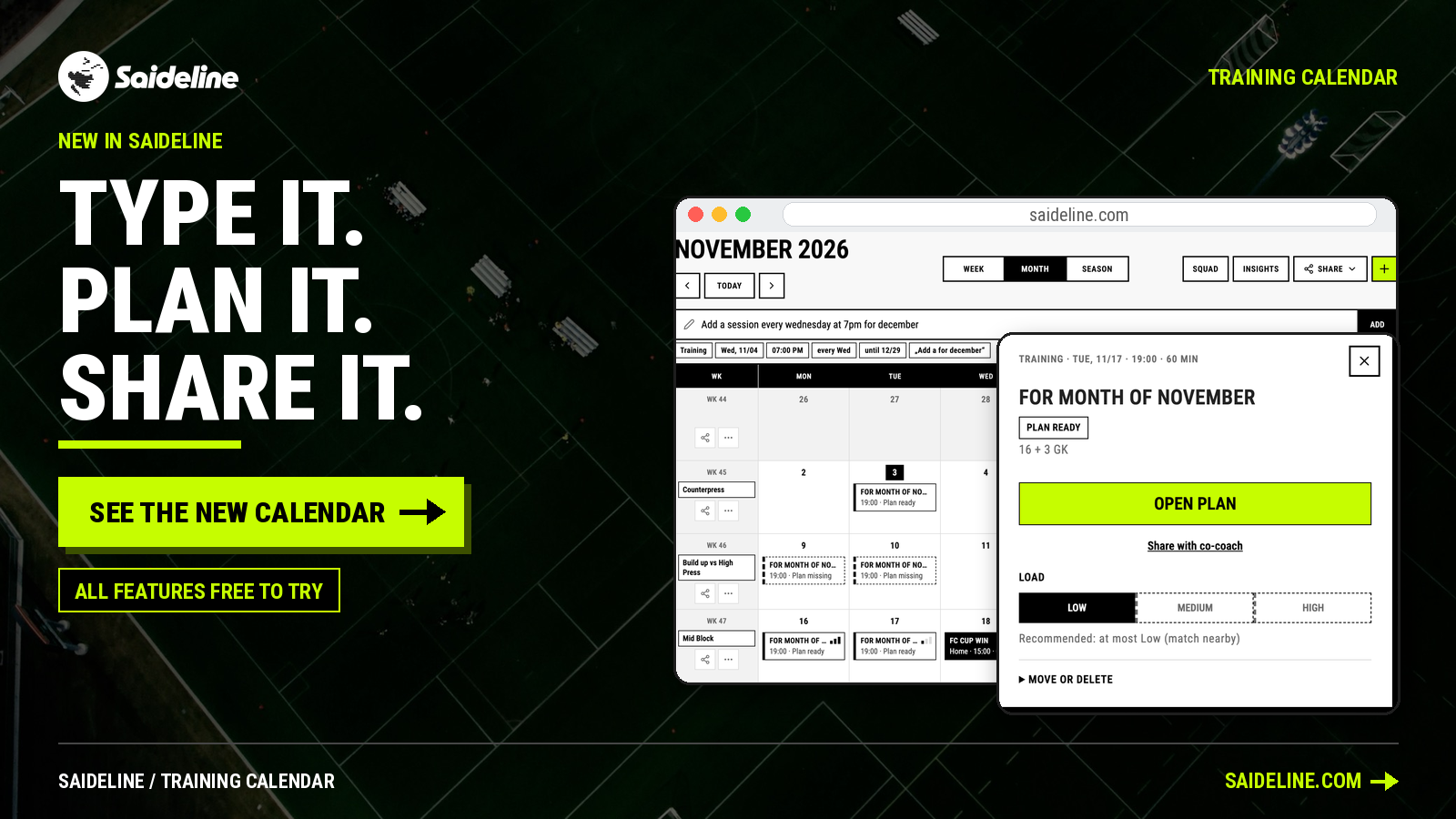
The calendar has a Week, Month and Season view. Month shows the whole picture: each week in its own row, each training as an entry, matches and events next to them.
Entries look different depending on what they are, and a legend under the calendar explains them. You can add:
- Training sessions, with a solid border when the plan is ready and a dashed border when the plan is missing.
- Home matches and away matches, in different colors.
- Tournaments, team events and days off.
To change the schedule, drag an entry to another day. Today is marked in black and the entry you are working on in lime, so you find your place at a glance.
Add Entries by Typing
You do not need a form. Type what you want into the entry bar in free text, for example "Add a session every Wednesday at 7pm for December".
While you type, small chips appear under the bar. They are suggestions and completions, not a form to fill in: entry type, date, time, repeat ("every Wed") and end date. They show you what you can say in one sentence, so you see the full potential of your input and are guided as you write. Pick a chip or keep typing, press Enter, and all the sessions are in your calendar.
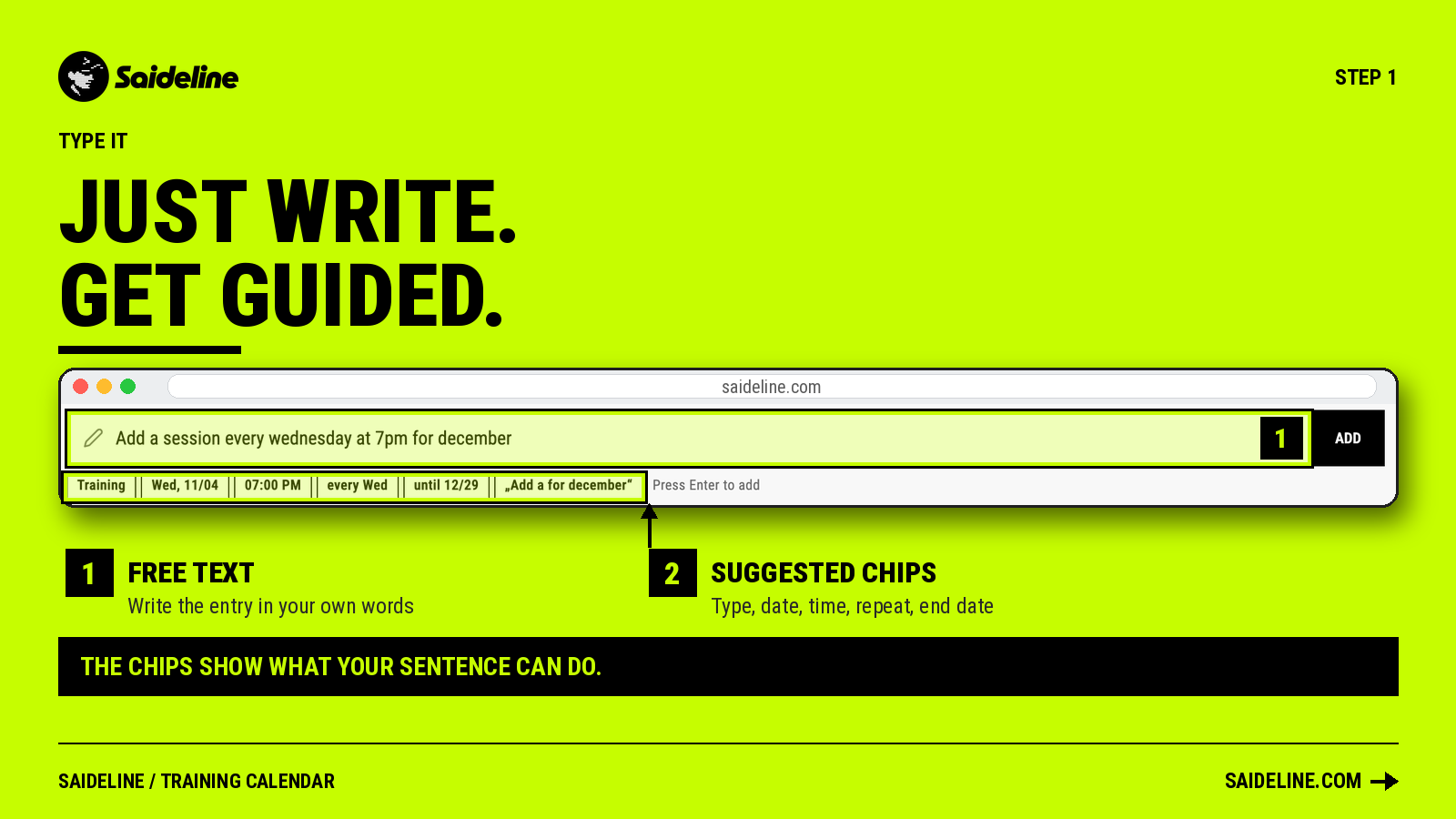
This is the fastest way to set up a block of training weeks: one sentence instead of eight separate entries.
Plan Each Session Directly From the Calendar
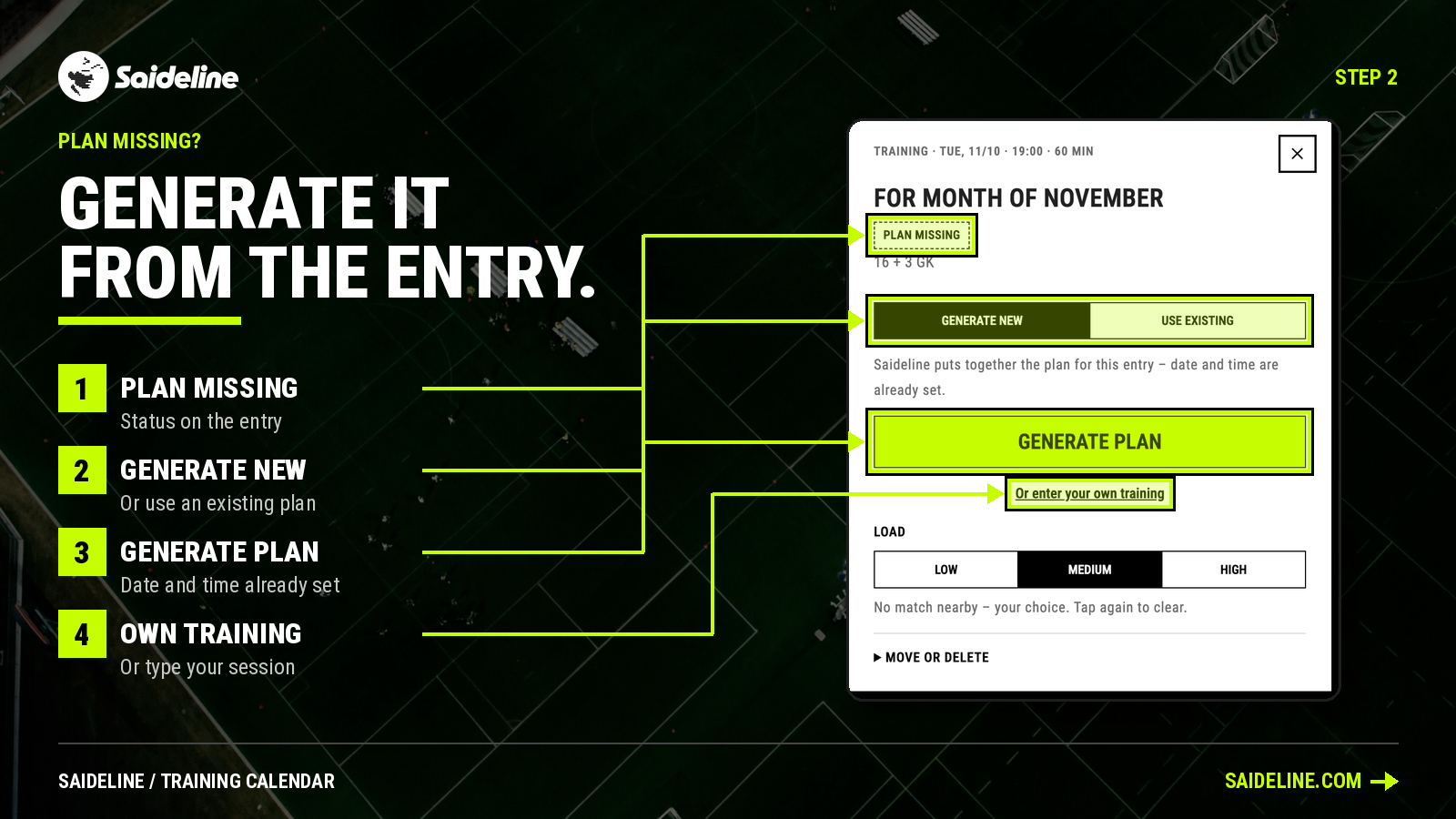
Every training in the calendar shows its status. Open a session that is marked "Plan missing" and you get three options:
- Generate new: Saideline puts the plan together for this entry. Date and time are already set, so you only decide the rest.
- Use existing: attach a plan you already have.
- Enter your own training: type your session yourself.
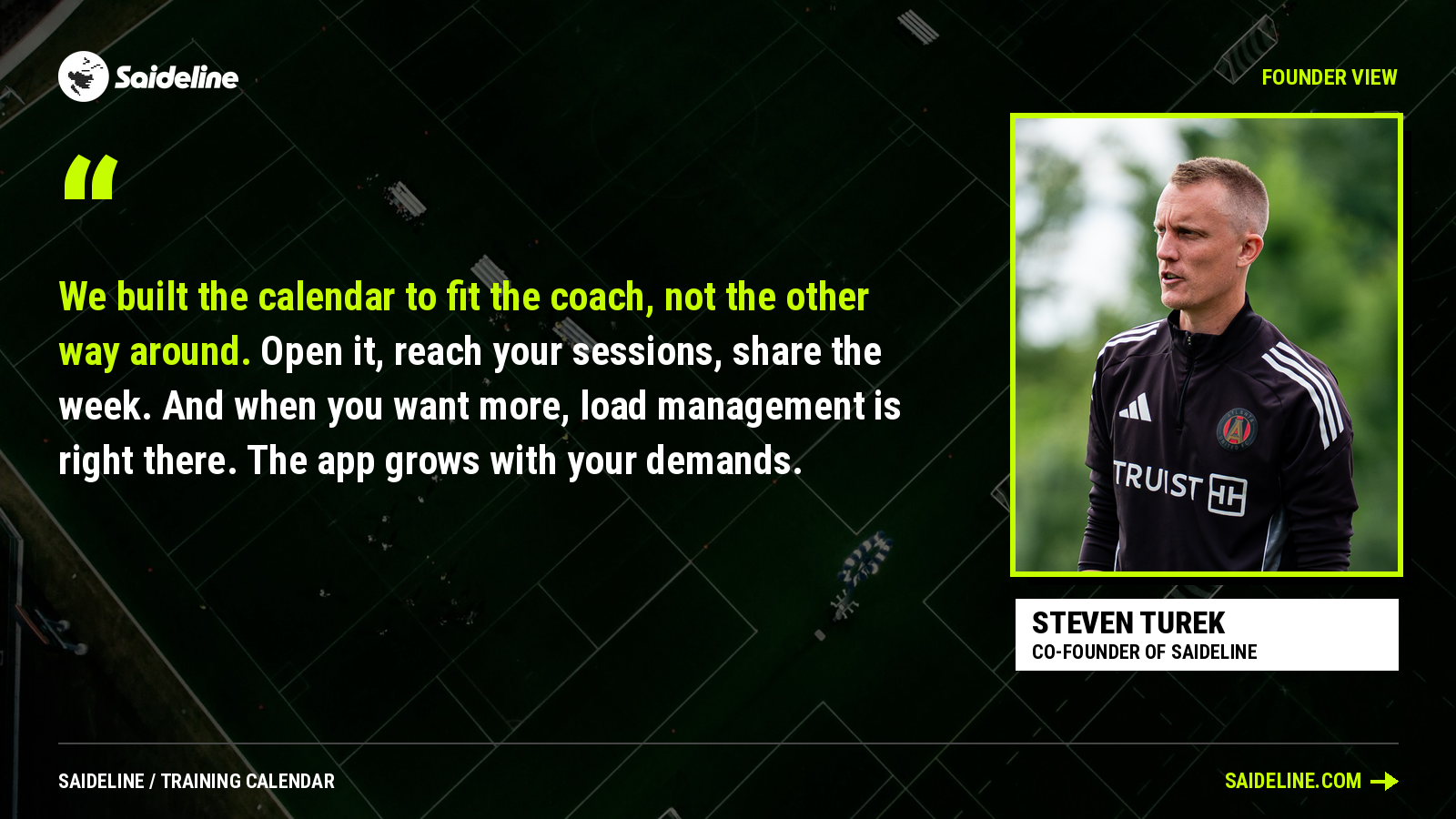
"We built the calendar to fit the coach, not the other way around. Open it, reach your sessions, share the week. And when you want more, load management is right there. The app grows with your demands." - Steven Turek, co-founder of Saideline
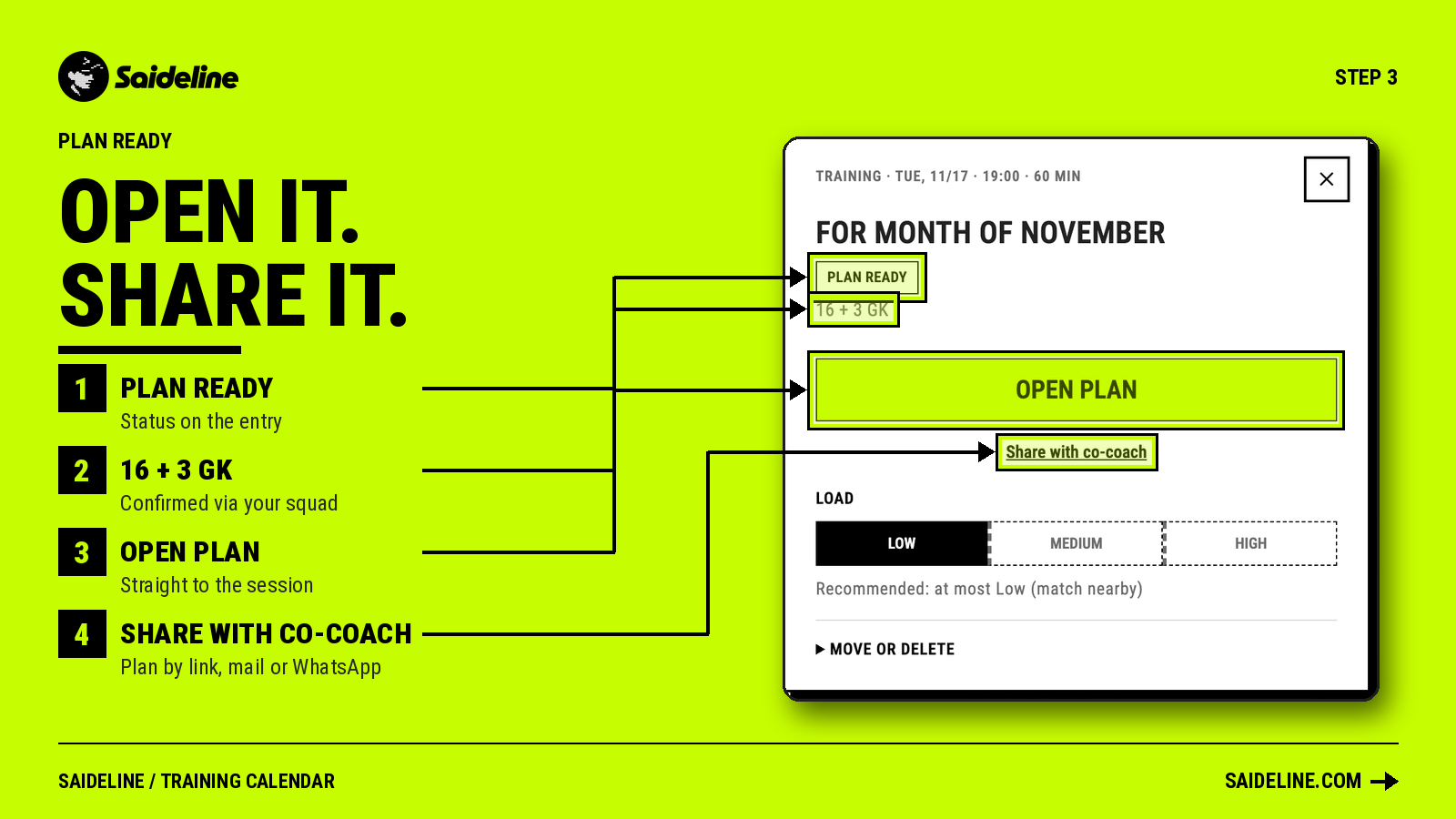
Once a plan is attached, the status changes to "Plan ready" and the entry shows who is coming. In the example, "16 + 3 GK" tells you the sixteen field players and three goalkeepers who have confirmed through the squad feature. "Open plan" takes you straight to the session.
If you want to understand how a plan is put together before you generate one, read our guide on how to plan a soccer practice.
Set the Load for Every Session
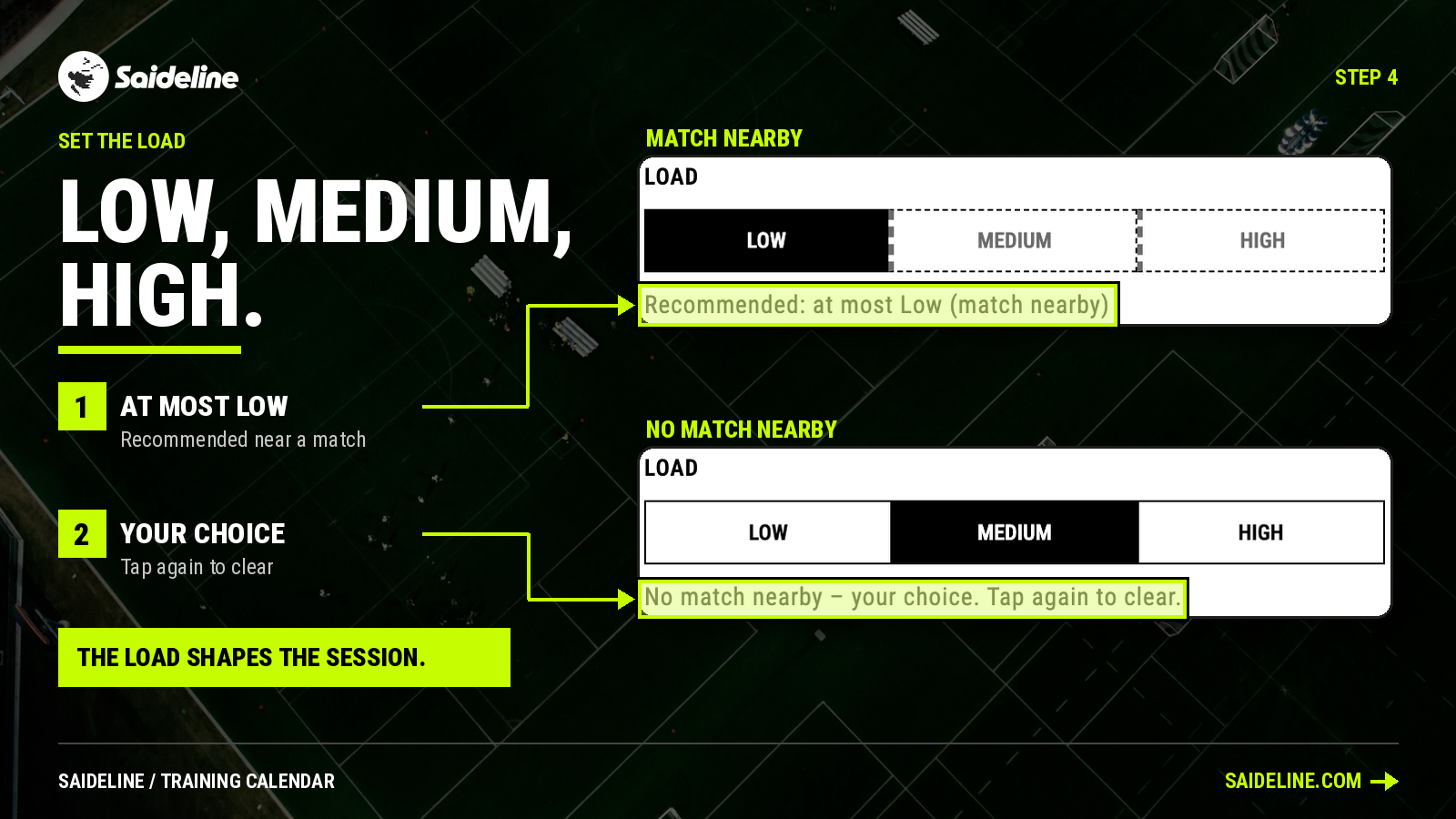
Each training has a load setting: Low, Medium or High. The load you choose shapes the session Saideline builds, and a small bar next to the entry shows it in the calendar, so you can see the intensity of a whole week at a glance.
Saideline also gives a recommendation when it matters. If a match is nearby, the calendar suggests keeping the load at most Low. If no match is close, the choice is yours, and tapping the selected load again clears it.
Give Every Week a Topic
Each week in the calendar has a field for a topic. In the example, the weeks are titled Counterpress, Build up vs High Press, Mid Block and High Press. You set the topic yourself.
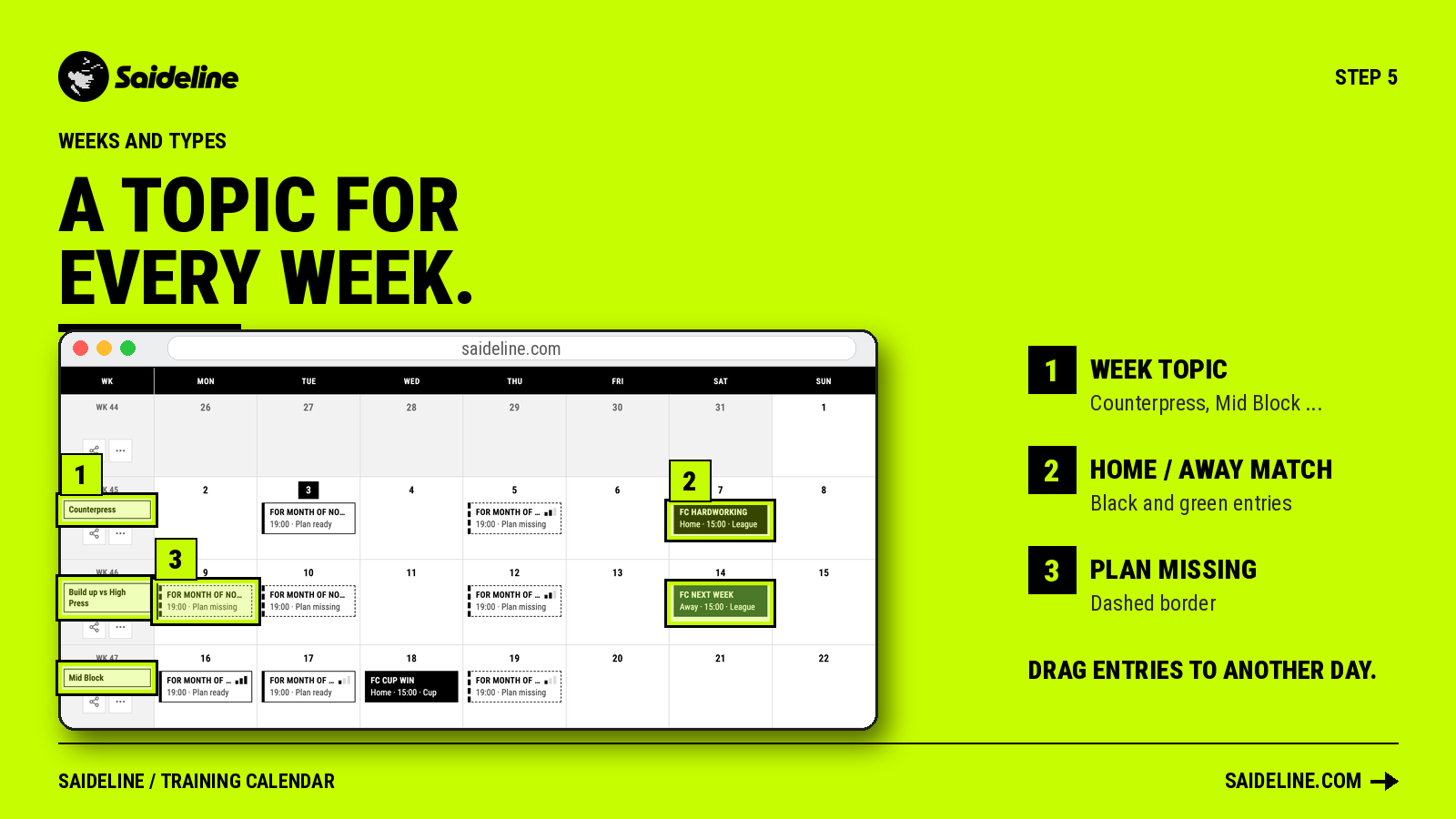
This turns the month into a plan with a thread through it. Instead of four unrelated weeks you see a progression, and each session in a week supports the same idea. If you plan around the four phases of the game, our guide to phases of play shows how to choose the topics.
Share the Week With Your Club
A coach rarely plans only for themselves. The sporting director, the youth lead and the parents want to know what is happening, without logging in.
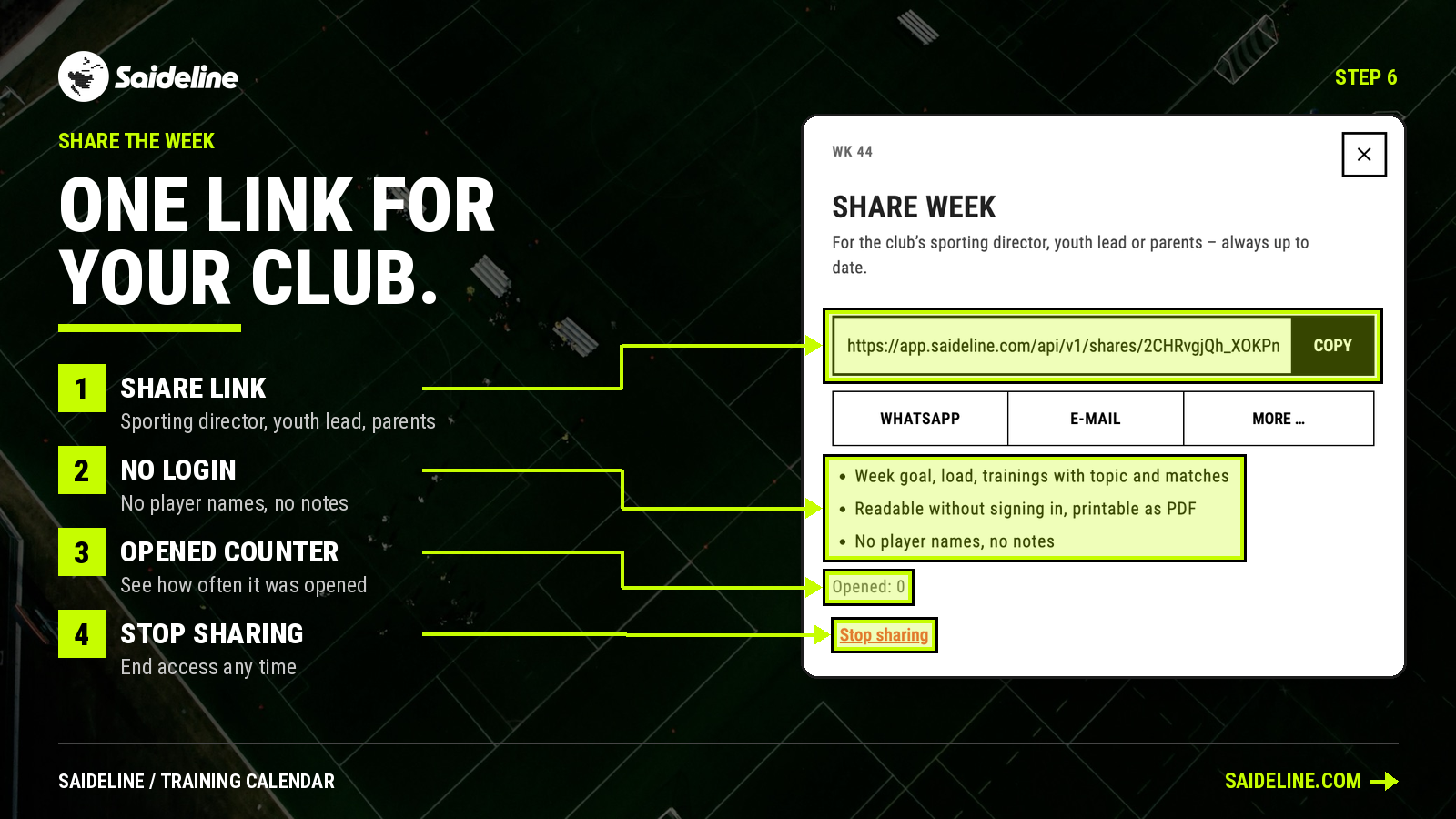
Use the share button next to a week to create a link. The shared page shows:
- The week goal and the load.
- The trainings with their topics, and the matches.
It can be read without signing in and printed as a PDF. It contains no player names and no notes. Saideline shows you how often the link was opened, and "Stop sharing" ends access whenever you want.
Share Plans and Overviews With Your Co-Coach
Plans and month overviews can be shared by link, email or WhatsApp, for example with the team or a co-coach. A co-coach can comment on sessions. A short note such as "I'll take the second group" is enough to settle who runs what before training starts. For uneven numbers, Saideline can also build parallel groups automatically.
If you need the plan on paper, every session also exports as a two-page PDF.
A Simple Weekly Routine
- Add the whole block of trainings by typing one sentence.
- Set a topic for each week.
- Open each session that says "Plan missing" and generate or attach a plan.
- Set the load, and lower it when a match is nearby.
- Share the week with your club, and the plans with your co-coach.
Frequently Asked Questions
What is a soccer training calendar? It is a calendar for planning your trainings, matches and events across weeks and months. In Saideline it also connects each entry to a session plan, a load setting and your squad.
Can I plan a whole season in Saideline? The calendar has Week, Month and Season views, and you can add repeating trainings with one sentence. You set a topic for each week.
Can I add recurring trainings? Yes. Type a sentence such as "Add a session every Wednesday at 7pm for December". Saideline shows the type, date, time, repeat and end date for you to confirm.
Who can see the shared week? Anyone with the link. The page needs no login, shows the week goal, load, trainings and matches, and contains no player names or notes. You can stop sharing at any time.
Is the calendar free? Every account can use it, including the 3 free sessions you get at the start without payment details. After that, Saideline costs €9 per month or €90 per year including VAT.
Conclusion: One Place for the Whole Week
A soccer training calendar helps most when it connects to the work behind each date. In Saideline, an entry in the calendar leads to a plan, a load and a list of players. Add your next block of trainings in one sentence, and try it with your 3 free sessions.